A little less kitchen chaos
Your meals,
ready together.
The roast. The potatoes. The veg. All on time.
Choose when you want to eat. prepSync works backwards, so you know exactly when to start each part of your meal.
Less juggling. More enjoying your food.
A plan for every plate
Dinner, in three simple steps.
You do the cooking. We’ll help with the timing.
-
01
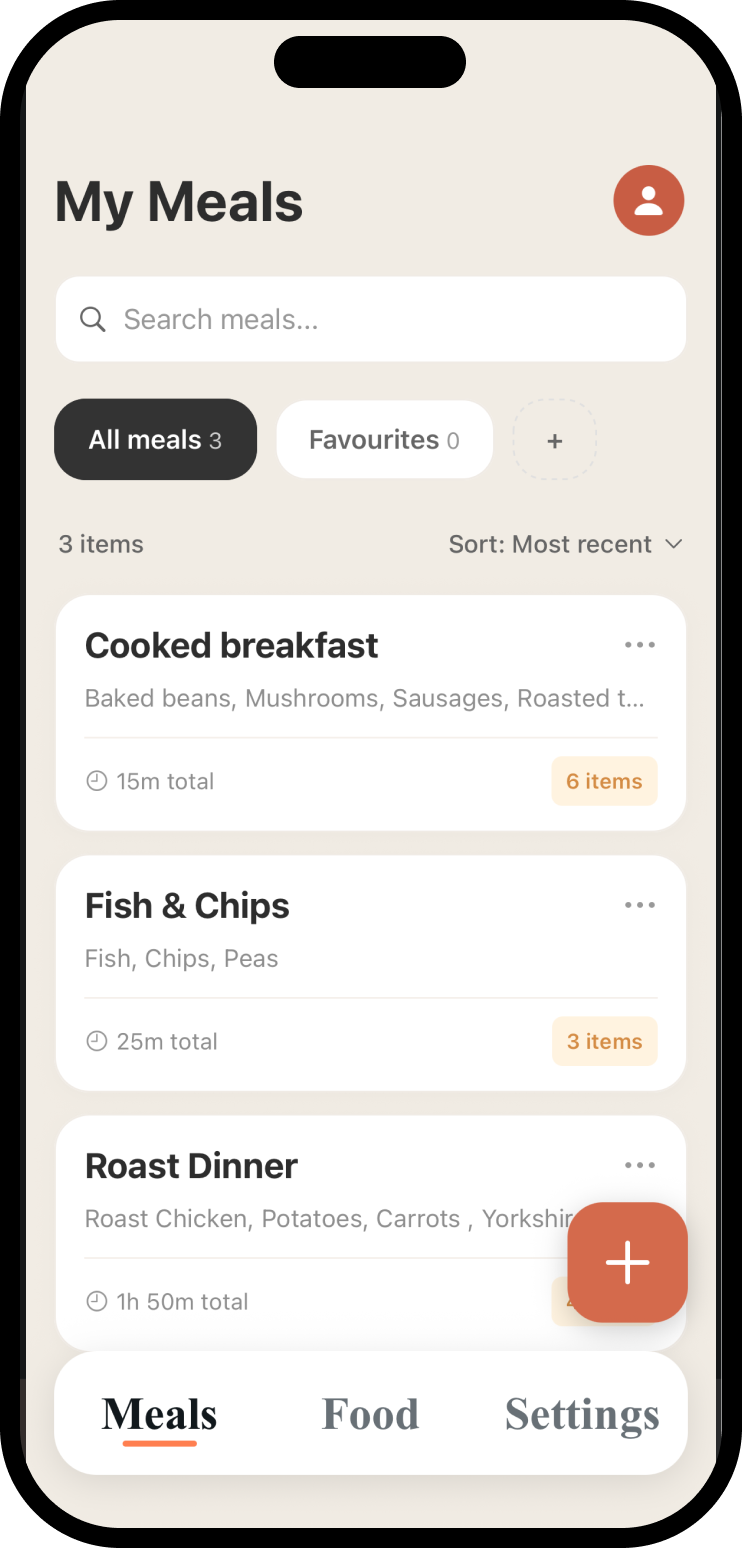
Add your food
Build your meal and add each food’s cooking time, or pick a meal you’ve saved before.
-
02
Set your serving time
Choose when you want to sit down to eat. In a hurry? Select ASAP to get cooking sooner.
-
03
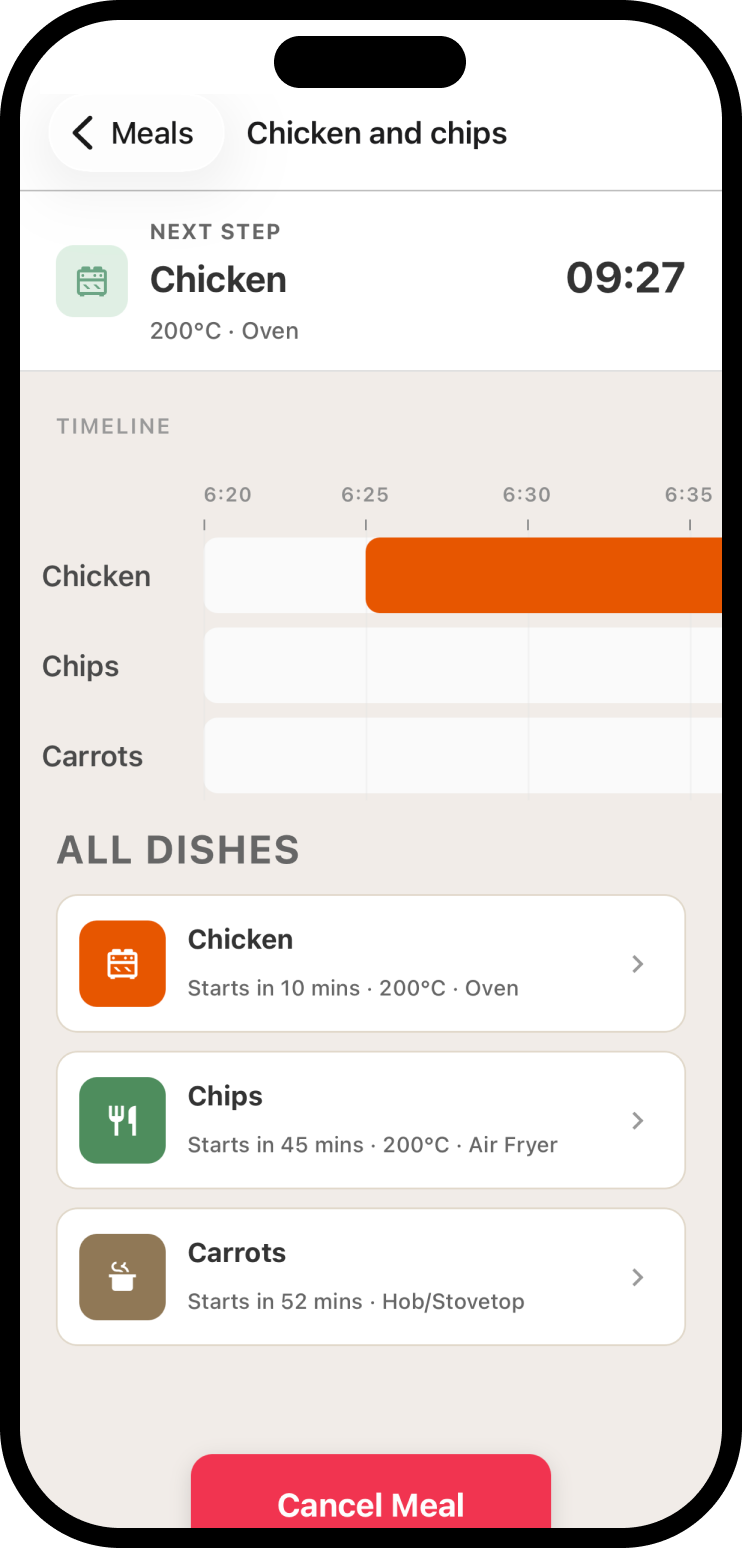
Follow your timeline
See what to start and when, with all the different parts of your meal coming together.
One timeline. Less to think about.
Find your calm
in the kitchen.
Different dishes take different times. prepSync brings them into one plan, so you can focus on what’s cooking.
-
Start each dish at the right moment
Your serving time sets the plan. Every food gets its own place in the timeline.
-
Know what’s coming next
Clear countdowns keep the next cooking step in sight.
-
Keep your favourites ready to go
Save a meal once and reuse the timings next time it’s on the menu.
A few things you might be wondering
Before you get cooking.
How does prepSync work?
Add the different parts of your meal and their cooking times, then choose when you want to eat. prepSync works backwards to create a timeline showing when to start each dish.
Can I save meals to cook again?
Yes. Save your meals and their timings, then choose a saved meal whenever you want to cook it again. Just set your new serving time and follow the timeline.
Can I share a meal with someone?
Yes. Share a meal link so someone else can open it in prepSync and use the meal’s timings themselves.
Where can I get prepSync?
prepSync is available for iPhone on the App Store. Check the App Store listing for current pricing and device compatibility.
Something else on your mind? We’re here to help.
Make room for the good bit
Less clock-watching.
More time at the table.
Your next meal, ready together.